Learn to Code by Watching It Run
Step through Python and C++ code line-by-line. See variables, stack frames, and heap objects change before your eyes.
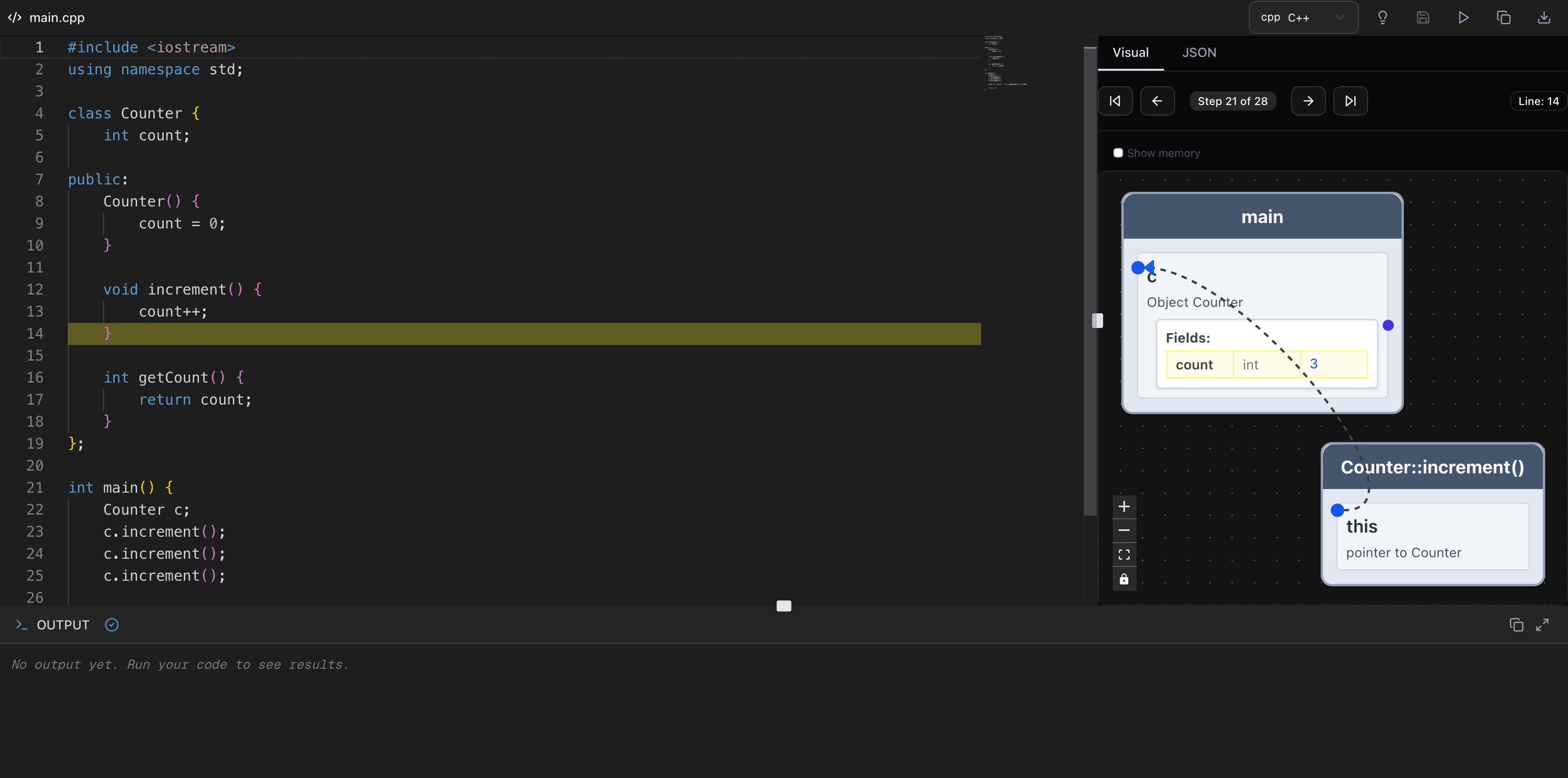
See Your Code Come Alive
Watch every line execute, every variable update, and every function call unfold in real time
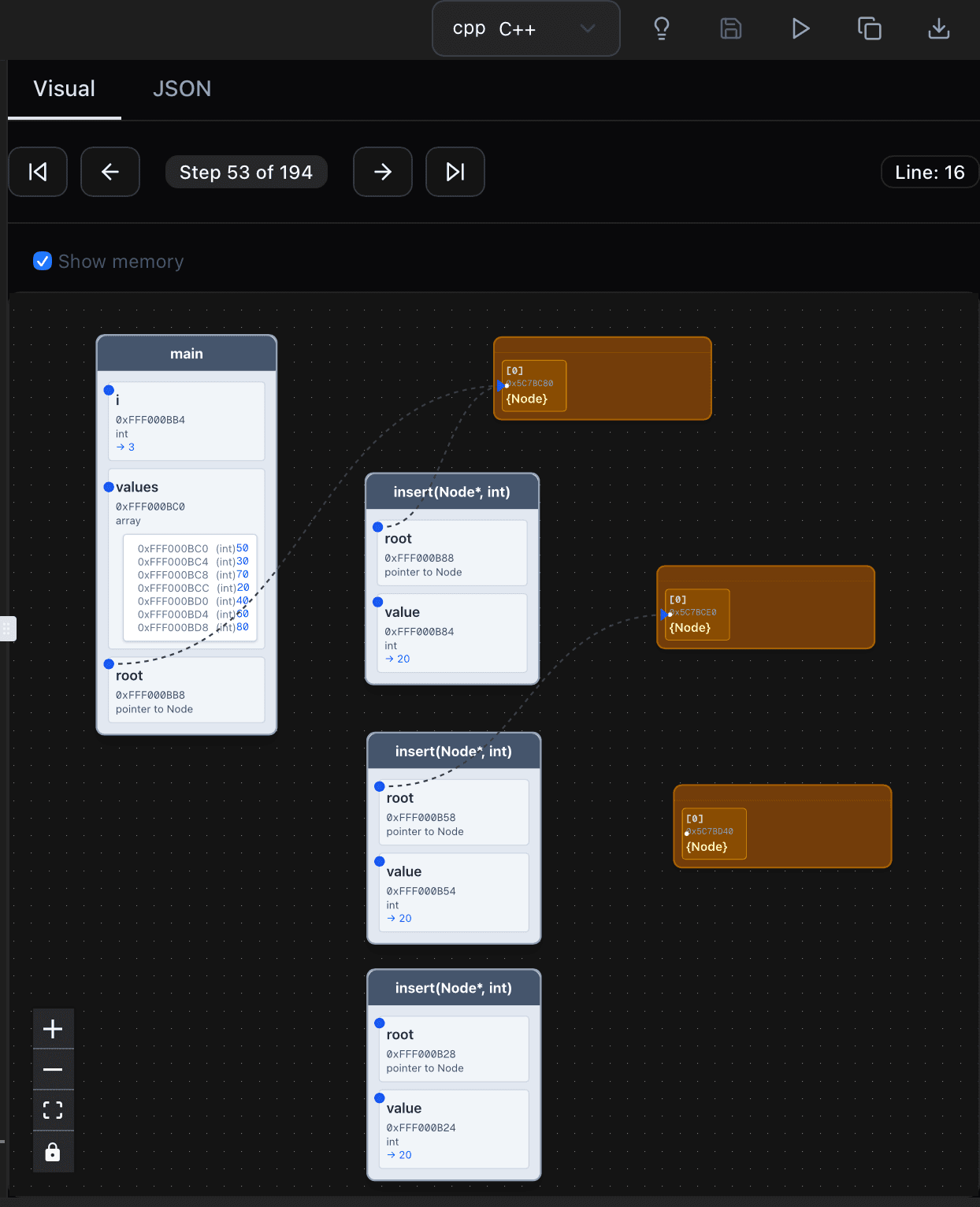
Step-Through Execution
Move forward and back through every line of code
Visual Memory Model
See stack frames and heap objects as they change
Everything You Need to Learn Code
Purpose-built tools that make understanding code intuitive and fast
Step-Through Execution
Pause, resume, and step through code one line at a time to understand logic flow.
Visual Memory Models
See stack frames, variables, and heap objects update in real time as code runs.
Multi-Language Support
Learn and visualize both Python and C++ with full syntax highlighting.
Collaborative Projects
Share projects with classmates and instructors and work together in real time.
Smart Code Assistance
AI-powered suggestions and explanations to help you learn as you write.
Run Without Setup
No installation, no configuration. Start learning instantly in your browser.
Try a Live Example
Pick an example and watch it run in the interactive visualizer — no sign-up required
Basic Variables & Output
python# Basic variables and output in Python
name = "Alice"
age = 25
height = 5.9
greeting = "Hello, " + name + "!"
print(greeting)
print("Age:", age)
print("Height:", height)See how variables store data and print output
Arrays & Loops
cpp#include <iostream>
using namespace std;
int main() {
int numbers[] = {10, 20, 30, 40, 50};
int sum = 0;
for (int i = 0; i < 5; i++) {
sum += numbers[i];
}
cout << "Sum: " << sum << endl;
return 0;
}Watch arrays being populated and looped through
Classes & Methods
cpp#include <iostream>
using namespace std;
class Counter {
int count;
public:
Counter() {
count = 0;
}
void increment() {
count++;
}
int getCount() {
return count;
}
};
int main() {
Counter c;
c.increment();
c.increment();
c.increment();
cout << "Count: " << c.getCount() << endl;
return 0;
}See how an object stores state and its methods update it
Start Learning with Uyren Tutor IDE Today
Try the step-through debugger right now, or create your first project. See exactly how your code runs, one line at a time.